
Ai
The Future of Video Editing: The Collision of AI Technology and Human Creation


The speed at which online content is updated continues to increase at a rapid rate; therefore, “speed” is now primarily considered an important competitive differentiator in the creation of online content. Trends and hot topics change rapidly; therefore, the organization or person that can produce a high-quality video faster will have an opportunity to capture more traffic and interest.
The video creation landscape is being altered by video generator ai. Creators are using AI tools to make things possible quickly and at lower cost than ever before. This rapid production process and improved production flow are making it easier for everyone to create high-quality videos. However, does AI-driven video creation replace conventional editing? There is still much that separates these 2 types of video creation.
Traditional Video Editing: The Time and Technical Costs Behind High Quality
For years now, video editing has been the primary way in which professionals create content. Video editing relies on different types of specific software that are used to edit footage/elements together through the use of visual effects/transitions/elements created by the user themself, while offering you increased flexibility and detail when it comes to the creation of videos.
That said, this editing method can be time consuming and requires a lot of effort. While creating short length videos may take several hours to complete, larger projects may take days or even weeks and will typically require professional editing software, creating a steep learning curve and requiring expensive hardware and therefore making it difficult for new creators to create content with the same amount of efficiency as experienced creators.
Advantages of Traditional Editing:
- Greater Creative Freedom
- More Mature Team Collaboration Workflows
- Easier to Cultivate a Unique Style
- Supports Deeply Customized Creation
Disadvantages of Traditional Editing Methods:
- High learning curve
- Relatively complex workflow
- Difficult for beginners to get started
- Relatively low creative efficiency
The emergence of AI and its applications for video editing are fundamentally changing how we create content today vs. how we traditionally created content. Traditional editing had so many labor intensive processes involved (e.g., going through hours of footage, removing pauses in the footage to create seamless edits, auto-generating subtitles and, auto-generating highlight reels from voluminous amounts of video footage) — while AI can automise dozens of those processes thereby reducing the time it takes to generate the end result versus traditional editing.
For example, you could now edit, condense, filter and generate multiple edited versions of content in an extremely short amount of time compared to traditional video editing.
With the increase in efficiency and speed of AI in the creation and editing of video content, this will be an incredible advantage for content creators in order to positively take advantage of trends. Feel free to share.
Beyond the advantage of speed, AI video tools also feature a lower barrier to entry. Many platforms offer templated workflows that allow users—even those with no prior editing experience—to quickly produce high-quality videos. Some AI tools can even automatically generate certain assets, making the entire creative process even simpler.
At the same time, picture to video ai has also reduced the costs associated with content production. Compared to traditional professional software, high-performance hardware, and expensive human labor, AI tools are typically more affordable and accessible. This empowers individual creators, small teams, and small-to-medium-sized enterprises (SMEs) to produce videos—tasks that previously required a professional team—at a much lower cost.
Advantages of AI Video Generators:
- Dramatically boosts production efficiency
- Significantly lowers the barrier to creation
- Reduces time and labor costs
- Supports rapid content iteration and idea generation
Disadvantages of AI Video Generators:
- Limited Creative Control
- Risk of Content Homogenization
- Insufficient Capability for Complex Projects
- Reliance on Tool and Model Quality
An Easy-to-Use Experience for All Users
AI has revolutionized the video editing industry by allowing almost anybody to create high-quality videos. The barriers to entry for traditional editing are quite high, as they require a significant amount of investment in both software and hardware, along with strong technical knowledge to utilize them effectively. Historically, this has excluded many creative individuals from being able to produce video as a result of needing to be able to afford the equipment needed to create professional-looking videos.
There are currently many ways to edit video without having any experience. As stated by some technology reporters, using AI to create ai video has greatly reduced the obstacles that creators face when producing their content. This is accomplished through tools that simplify and speed up the workflow of creating content for the creator. By using these tools to make video production easier for the creators, those who have previously been excluded from video production due to costs or technical difficulties will have a much easier time beginning to create content and expressing themselves creatively through video.
The Balance Between Creativity and AI
There remain many unanswered questions about whether or not AI is truly creative, despite the number of exciting and rapidly developing tools showing just how far we can push the capabilities of machine learning. One question worth considering is whether AI can replicate the unique, subjective aesthetic sensibility and artistry that editors apply to their work. Many technical writers have recently reiterated that our view of this issue should be a bit more realistic; AI will function as an incredibly useful assistant instead of a complete replacement for the editorial process. Therefore, there is still an overwhelming need for editing to have human input and oversight when creating high-quality videos.
Let’s be clear before we proceed: AI has been developed as a tool for facilitating creativity in video editors, primarily through automation of many tedious aspects of video editing to increase efficiency and ease of use, rather than replacing the video editor.
Finally, AI does not have emotion or contextual comprehension like a human being. All AI’s judgment comes from either data-based algorithms and pattern-recognition or emotional indifference to subjective viewpoints.
Conclusion
Because of its many benefits—including speed and simplicity of use—the use of AI in video-editing is changing how content is created. People with little to no technical background, or no professional team, can now produce and release a larger amount of video content in significantly less time.
However, traditional editing skills will still play a pivotal role in content quality. Many creators are now experimenting with the blending of AI with traditional editing methods, trying to create more efficient processes while still having total creative control over their projects. AI editing is not just an “either/or” format; rather, it can work together with the expertise of humans, helping to optimize the entire workflow.
As the capabilities of AI continue to develop, video editing will be even more efficient and accessible in the future, resulting in a new generation of creators. This will give the audience access to an even greater and more varied range of creative expression through AI video tools, both for producers and viewers alike.

An old family photograph isn’t just a piece of degraded paper stored in an album full of dust. They are tiny time machines that contain stories, emotions, and instances that we can never re-experience. A crumpled black and white photo of your grandparents or a slightly torn picture from your childhood can hold more sentimental value than the best quality camera phone image. That’s why fixing these photos is a slow process of cultivation. The aim is not to strip out the emotions they have, or make them look brand new.
Too many people get fixated on perfection in the restoration. They erase every wrinkle, sharpen every face and remove every grain until the photo starts to look unnatural. A vintage one should still look vintage Look vintage for vintage. Those little flaws many times are part of the story. Think of photo restoration as you would the restoration of an old home—you fix the damage, but you don’t replace the heart of the house.
Contemporary restoration techniques and particularly AI-based software solutions algorithms ease the procedure greatly. Some photographers rely on tools first developed as an ai food photography editor for these apps have sophisticated lighting and texture enhancement tools. It’s strange but it shows how versatile AI editing technology has gotten with the various creative industries.
“Restoration” vs “Over-editing”: What Is the Difference?
What Is Natural Restoration?
Restoration based on natural looks repairs damage to an image without altering the identity of the original. This can be done by restoring faded colors, cleaning dust spots, mending tears, and so forth, and by sharpening it a bit. The key word here is “slightly.” You want the final image to be TIDIER not COMPLETELY RE-INVENTED. Choose your words carefully – TIDY UP and RE-IMAGINED are very different stage directions.
In a good restoration, faces look like real people. The skin should have texture. Original clothing folds and shadows must be preserved. Even the grain of the film can be substantial since it captures the period and mood of the picture. The best editing is invisible, they say, in the profession. If you have to stare at the editing instead of the memory it’s supposed to conjure up, that means maybe the retouching went too far. When You Know You’ve Over-Processed via Editing Too Hard The signs are garish colours and a smudgy feel.
Signs You’ve Edited Too Much
Over-editing (or over-processed) occur when AI tools are taken as far as they can go. Faces are smoothed to an unnatural degree, eyes appear unnaturally bright, and backgrounds can seem unseasonably sharp. Some AI models actually fabricate details that were never ever there to begin with. This is particularly common when people believe the hype about pulling their images out of the muck.
You might find it useful to toggle between viewing your edited image and the original every few minutes.… So, Too far is just too far. In the event that the restored image no longer resonates as a sentimental old photograph, roll back the edits. Restoration is supposed to be like washing a dirty window, not replacing the whole view.
Common Issues in Old Family Photographs
Fading and Discoloration
Contrast and colour balance in the ageing photos is gradually attenuated. Sunlight, humidity and heat-damaged photographic paper is a slow process. Faded images are often restored by making brightness, contrast and color tone adjustments. Subtle tweaks can often yield the most natural looking results.
Scratches, Dust and Tears
Physical damage is frequent in older prints. Small scratches, fingerprints and creases can pull attention away from key details. Most photo editing software provides heal or clone tools to seamlessly repair these spots. The key is to zoom in and go slowly, rather than slathering on auto-filters on the entire image.
Blurry or Low-Resolution Images
Poor scan quality can make restorations difficult. Prior to editing, scan photographs at no less than 600 DPI to obtain sufficient detail level. AI sharpening algorithms can contribute to clarity, too much sharpening, however, results in hard, artificial looking outlines.
The Best – most gentle Restoration of photos tools
Automatic Restoration Software Based on PASS
Most of the editing is saved thanks the modern AI restoration tools. Can automatically fix damage and bring out detail — using programs like Remini, Adobe Photoshop features powered by AI, and Topaz Photo AI. These products can process and rebuild I part and whole facial structures, textures and lighting patterns within seconds.
Some editors are playing with generative AI image prompts to recreate lost portions of damaged photos. For instance, with prompts you can make the AI recreate missing parts of torn backgrounds, or the texture of faded clothing. The key is moderation. Its simple: We believe AI should enhance the authenticity of the original image, not replace it.
To go manual or not, that is the question
the best iPhone photo editing appSmarter AI won’t fully understand family histories or emotional contexts. Human intervention remains critical. This is because a photo that has been manually restored often feels warmer and more believable, since the editor is making intentional decisions and not simply following algorithmic guesses.
Professional restorers usually use a combination of AI and manually based on the scale and complexity. AI is doing much of the repetitive and rudimentary cleanup work and the human editor is left to master the finer details — the textures, tones and overall emotional harmony of the faces.
Leverage AI Without Losing Your Human Touch
How AI Image Prompts Contribute Restoration
AI image prompts enable restoration specialists to steer the restoration software through verbal instructions. Instead of allowing the AI to take an uneducated random guess, prompts keep it historically accurate. For example, you can tell the software to leave natural signs of aging, to keep realistic shadows, or not to over-smooth the skin.
This technique leads to more deliberate and believable outcomes. It’s like sharing the steering wheel with a co-pilot‘instead of handing over the keys and letting them drive on their own term without neverhand over the keys andletting them drive on their own term without never look back.
Say No to Unrealistic AI Over-Enhancements
Old photos are often ‘beautified’ automatically by AI. While this can be impressive on a superficial glance, it may rob an image of historical authenticity. Old portraits shouldn’t look like modern-day studio selfies. Don’t over-brighten eyes, whiten teeth too much, or add modern-day beauty filters.
The same applies when using tools from other creative disciplines such as apps marketed as an AI food photography editor. These software have been designed to make textures pop and the lighting dramatic, this can make your perfect family shot look unnatural in a blink if you apply them too heavily.
Mistakes Newcomers Make When Restoring
One of the largest common newcomer errors is processing everything at the highest intensity level. Heavy sharpening, strong noise reduction and very saturated colors can erase the atmospheres of an origginal photograph. Another common problem is not following backups. Always save multiple versions of your restoration in case you need to go back to an earlier revision.
Novices also tend to take out every single flaw. Cleanliness can work against a vintage photo: a perfectly clean one can look less authentic than one with a bit of grain and a little wear and tear. Maybe a few natural signs of age preservation adds to a stronger emotional bond.
Conclusion
The restoration of old family photographs is more about preserving memories rather than rewriting history. The best restorations honor the original photograph and gently soften the ravishing effects of time. AI tools have made restoration quicker and more democratized, but human judgment still matters most. Whether you employ sophisticated software, tinker with AI image prompts, or borrow

A stopover in Dubai doesn’t have to mean hours spent inside the airport. With a well-planned Dubai Layover tour, even a short stay can turn into a memorable experience filled with iconic landmarks, luxury views, and cultural highlights. Whether you have 4 hours or 12, Dubai offers plenty of ways to explore its modern skyline and rich heritage.
For travelers looking to turn transit time into adventure, you can explore curated experiences directly through Dubai Layover tour options designed specifically for short stays.
Why Choose a Dubai Layover Experience?
Dubai is uniquely positioned as one of the world’s busiest transit hubs, making it ideal for quick sightseeing trips. Instead of waiting at the airport, visitors can step out and experience:
- The Burj Khalifa and Downtown Dubai skyline
- Traditional souks and cultural districts
- The Palm Jumeirah and luxury beachfront views
- Desert-inspired architecture and modern attractions
If you’re wondering what fits into your schedule, browsing curated guides like things to do in Dubai can help you choose the best activities based on your available time.
Explore Tailored Dubai Layover Tours
Not all stopovers are the same, which is why specially designed tours make a big difference. With structured itineraries, travelers can enjoy smooth airport pickup, guided sightseeing, and timely return transfers without stress.
You can check flexible packages and route options through Dubai layover tours that are built for short stays, ensuring you maximize every minute in the city.
Discover the Best of the City in Limited Time
If you have a longer layover or want a deeper look into the city, full sightseeing options are also available. From modern architectural wonders to cultural landmarks, Dubai offers a wide variety of experiences suitable for every type of traveler.
For extended exploration, curated Dubai city tours provide structured routes covering both iconic attractions and hidden gems across the city
Final Thoughts
A layover in Dubai is an opportunity, not a waiting period. With carefully planned tours and flexible itineraries, travelers can experience the city’s highlights without worrying about time constraints. Whether you’re interested in luxury attractions, cultural experiences, or quick city highlights, a Dubai stopover can easily become a memorable part of your journey.
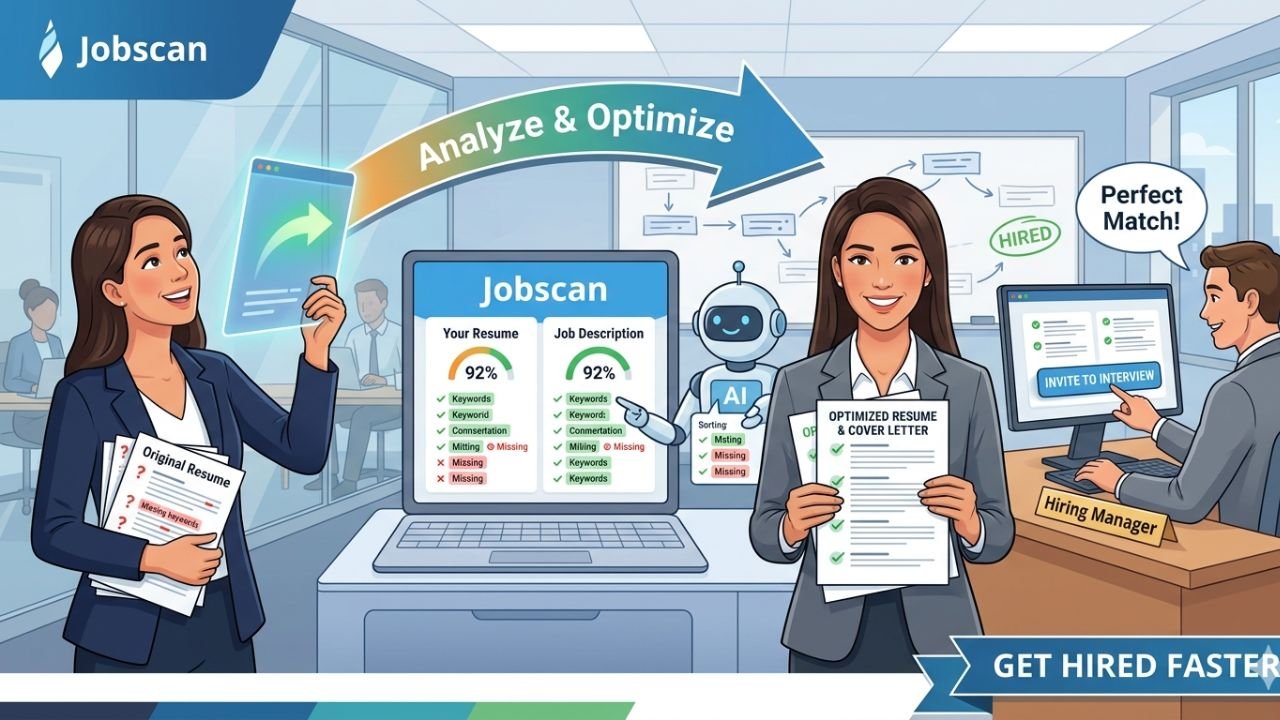
Jobscan is an advanced AI-powered platform designed to help job seekers improve their resumes and LinkedIn profiles for modern hiring systems. In today’s recruitment process, most companies use Applicant Tracking Systems such as Workday, Taleo, iCIMS, Greenhouse, Lever, and SmartRecruiters to filter candidates before a human ever sees the application. Jobscan solves this problem by analyzing your resume against a job description and guiding you to make the right improvements.
The platform was created to remove guesswork from job applications. It compares your resume with the exact job posting and generates a Match Rate score. This score shows how closely your resume aligns with what recruiters and ATS software are searching for. The tool has become especially popular among applicants targeting Fortune 500 companies, where automated filtering is extremely strict.
Core Features That Make Jobscan Powerful
Jobscan offers a complete set of features designed to improve every part of your application. Its Resume Optimization tool checks for missing keywords, hard skills, and soft skills while also flagging formatting problems that could break ATS parsing. The Match Rate system gives a clear percentage score, helping users understand how competitive their resume is.
The platform also includes LinkedIn Optimization, which analyzes your profile and suggests improvements to your headline, About section, and skills. This feature is important because recruiter search tools often rely on LinkedIn algorithms to find candidates.
Another key feature is the ATS-friendly Resume Builder. It provides simple templates that avoid complex layouts, ensuring your resume is readable by systems like Taleo and Workday. The Job Tracker works like a kanban board, allowing users to organize applications, track interviews, and save job listings from platforms like LinkedIn, Indeed, Glassdoor, and Handshake.
Jobscan also uses AI tools such as Power Edit and One-Click Optimize. These features allow real-time editing and automatic rewriting of resume content based on job descriptions. The AI Cover Letter Generator creates tailored cover letters, while the AI Resume Summary Generator helps users craft strong professional summaries quickly.
How Jobscan Works Step by Step
Jobscan follows a clear workflow that improves your resume through a structured process. First, you upload your resume in .docx or PDF format and paste the job description you want to target. Premium users can also add the company URL, allowing Jobscan to detect the ATS system used by that employer.
Next, the platform generates a Match Report. This report highlights missing keywords, skill gaps, and formatting issues. Users are encouraged to aim for a Match Rate between 75 percent and 80 percent. This range ensures strong alignment without making the content sound unnatural.
After reviewing the report, users enter the optimization phase. With Power Edit, they can adjust content directly and see their score update in real time. The One-Click Optimize feature suggests improved bullet points using an Action, Skill, and Result format. This method keeps the writing human while improving keyword relevance.
Finally, users generate a cover letter, download the optimized resume, and save the job in the Job Tracker. They can also sync their LinkedIn profile using the LinkedIn Scanner to ensure consistency across platforms.
ATS Optimization and Formatting Rules
Jobscan stands out because it simulates how ATS systems read resumes. Many applicants fail not because of poor experience, but because of formatting mistakes. Jobscan identifies these issues and provides solutions.
The platform warns against using images, icons, and graphics because ATS software cannot read text inside them. It also flags tables and columns, which can confuse systems that read resumes from left to right. Headers and footers are another risk, as some systems ignore them completely.
Jobscan recommends standard section headings like Work Experience, Education, and Skills. Creative headings may look appealing but can cause categorization errors in ATS systems. It also advises using simple file formats like .docx or clean PDFs, avoiding special characters, and maintaining proper white space for better readability.
These checks ensure that your resume is both machine-readable and easy for recruiters to understand.
Jobscan Pricing and Plans
Jobscan operates on a freemium model, making it accessible to a wide range of users. The Free Plan allows around five resume scans per month and includes basic keyword analysis and access to the Resume Builder. This is useful for occasional job seekers but may not be enough for active applications.
The Monthly Premium plan costs 49.95 dollars and unlocks unlimited scans, LinkedIn optimization, Power Edit, and the AI Cover Letter Generator. The Quarterly Premium plan costs 89.95 dollars every three months, offering a lower average monthly rate. The Annual plan costs 299.40 dollars per year, making it the most cost-effective option for long-term users.
There is also a Premium Plus plan at 89.95 dollars per month, which includes advanced templates and priority support. For professionals, Jobscan Coach plans start at 99 dollars per month and allow career coaches to manage multiple client accounts.
Many users can access premium features for free through academic partnerships with institutions like Duke University, University of Toronto, CSU Long Beach, Harvard Medical School, and Rose State College. Nonprofit programs such as Hire Autism and referral rewards also provide free access opportunities.
Jobscan vs Teal and Other Alternatives
In 2026, Jobscan faces strong competition from tools like Teal, Resume Worded, Rezi, SkillSyncer, EarnBetter, Careerflow, Resume Optimizer Pro, and Upplai. Each tool offers a different approach to job searching.
Teal focuses on workflow management and acts as a job search CRM. It allows unlimited resume building and job tracking, making it ideal for high-volume applications. Resume Worded emphasizes writing quality and impact, helping users improve clarity and measurable results.
Rezi is built for strict ATS compliance, while SkillSyncer and EarnBetter offer budget-friendly options with free or low-cost features. Careerflow provides real-time LinkedIn optimization, and Resume Optimizer Pro uses advanced engines like Sovren and Textkernel for more accurate predictions.
Despite these alternatives, Jobscan remains a leader in ATS precision and role-specific keyword matching.
Free Tier vs Teal Free Tier
The difference between Jobscan and Teal becomes clear when comparing free plans. Jobscan limits users to a small number of scans but provides deeper ATS insights and formatting checks. Teal offers unlimited resume building and job tracking, making it better for managing multiple applications.
Jobscan works best as a focused optimization tool, while Teal functions as a complete job search system. This is often described as a sprint versus marathon approach, where Jobscan helps perfect individual applications and Teal supports long-term job hunting.
Pros and Cons
Jobscan offers highly accurate ATS simulation, making it one of the most reliable tools for understanding how resumes are filtered. It provides specific keyword recommendations and strong LinkedIn SEO support. Its AI tools save time and simplify the customization process.
However, the platform has some limitations. The premium plan is expensive compared to competitors like Teal or Resume Worded. The free version is limited, and users may feel pressured to chase a perfect Match Rate. Over-optimization can lead to robotic writing, which may not impress human recruiters.
Jobscan is ideal for applicants targeting large companies and structured hiring systems. It may be less useful for creative roles or startups where personal branding matters more than keyword density.
Company Background and Growth
Jobscan was founded by James Hu in Seattle after he struggled with job applications being rejected by ATS systems. His experience led to the creation of a tool that helps candidates align their resumes with recruiter expectations. The company also includes key team members like Dane McLeod and Sang Min Tyler Kim.
The business operates as a private, bootstrapped company with a distributed team across multiple countries. It has grown to over one million users worldwide and continues to expand its partnerships with universities and career organizations.
Jobscan in 2026 and Final Verdict
Jobscan has evolved into a complete AI-driven ecosystem focused on ATS optimization and recruiter search visibility. Recent updates include GPT-4 integration, One-Click Optimize, improved keyword recognition, and expanded LinkedIn tools. The platform continues to refine its ability to simulate ATS behavior and provide actionable insights.
Research shows that a large percentage of Fortune 500 companies rely on ATS systems, making tools like Jobscan highly relevant. Users report increased interview rates and faster job search results when using the platform correctly.
In conclusion, Jobscan remains one of the best tools for job seekers who need precise keyword alignment and ATS optimization. It is especially valuable for corporate roles where technical filtering is the biggest challenge. While alternatives like Teal and Resume Worded offer broader features, Jobscan stands out as the gold standard for beating ATS systems and improving application success.
FAQs
What is Jobscan and how does it work?
Jobscan is an AI-powered resume optimization tool that compares your resume with a job description to calculate a Match Rate. It identifies missing keywords, skills, and formatting issues to help your resume pass Applicant Tracking Systems like Workday and Taleo.
Is Jobscan worth it in 2026?
Jobscan is worth it for job seekers applying to large companies that rely heavily on ATS filtering. It helps improve keyword alignment and increases the chances of getting shortlisted, especially for corporate roles.
How accurate is Jobscan’s Match Rate?
Jobscan’s Match Rate is considered highly accurate because it is based on reverse-engineered ATS logic. However, experts recommend aiming for a score between 75 percent and 80 percent instead of trying to reach 100 percent.
Can Jobscan improve LinkedIn profiles?
Yes, Jobscan includes a LinkedIn optimization feature that analyzes your profile and suggests improvements for your headline, About section, and skills to increase visibility in recruiter searches.
What are the limitations of Jobscan?
Jobscan focuses mainly on keyword matching and ATS compatibility. It does not fully evaluate the quality of your experience or storytelling, and over-optimization can make your resume sound robotic.
Is there a free version of Jobscan?
Yes, Jobscan offers a free plan with limited features, including around five resume scans per month. Premium plans unlock unlimited scans, advanced tools, and LinkedIn optimization.
How does Jobscan compare to Teal?
Jobscan is better for precise ATS optimization and keyword matching, while Teal is better for managing multiple job applications with its job tracker and workflow tools. Jobscan is more focused, while Teal is more comprehensive.
Which file format works best with Jobscan?
The best formats are .docx and simple PDFs. These formats ensure compatibility with ATS systems and allow Jobscan to analyze your resume accurately without parsing errors.

Romantic Terminology Explained: Decoding the Snowball Kiss

Understanding Spanish Terms: What Does Viejo Mean in Daily Conversation?

Do Breitling Watches Need a Watch Winder? A Complete Owner’s Guide

Who is Cuppy Enders? The Untold Story of Tommy Shaw’s First Wife

Who Is Sylvia Dale? Learn About The Wife of Johnnie Cochran

Scalable Industrial Solutions with Smart Design Systems & Financial Precision
-
Celebrity9 months ago
Who is Cuppy Enders? The Untold Story of Tommy Shaw’s First Wife
-
Celebrity10 months ago
Who Is Sylvia Dale? Learn About The Wife of Johnnie Cochran
-
 Business6 months ago
Scalable Industrial Solutions with Smart Design Systems & Financial Precision
-
 Celebrity1 year ago
Who Is Yeonmi Park’s Husband? Ex-Husband Ezekiel, Marriage, Divorce & Family Facts and More
-
 Celebrity1 year ago
Happy Dad Net Worth: Owners, Revenue & Brand Value
-
 Celebrity1 year ago
Will Sonbuchner Wife: Inside Sonny Side’s Love Life & Private Marriage
-
 Celebrity9 months ago
Meet Max Muñiz: The Son of Jennifer Lopez and Marc Anthony
-
 Technology7 months ago
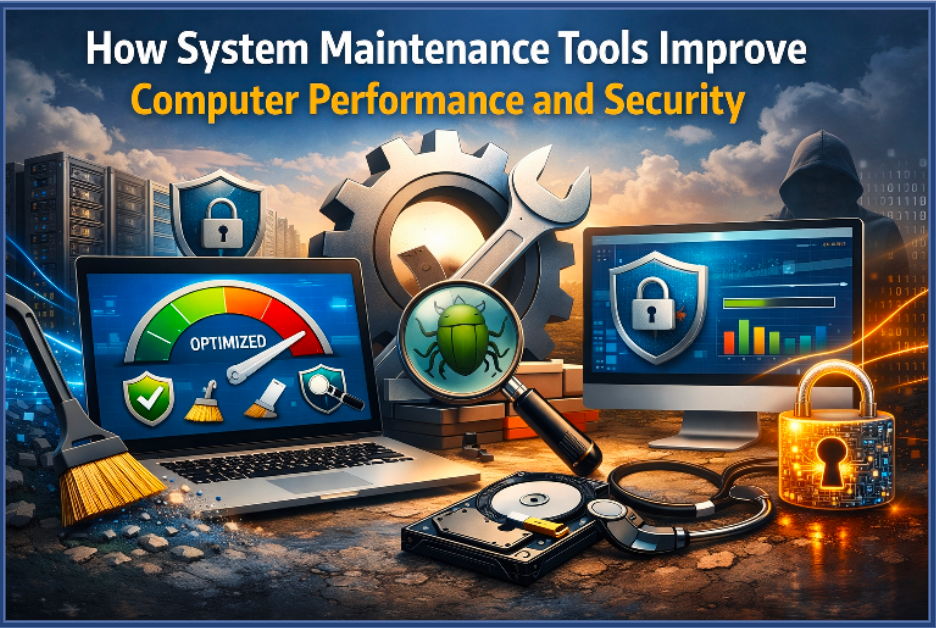
How System Maintenance Tools Improve Computer Performance and Security